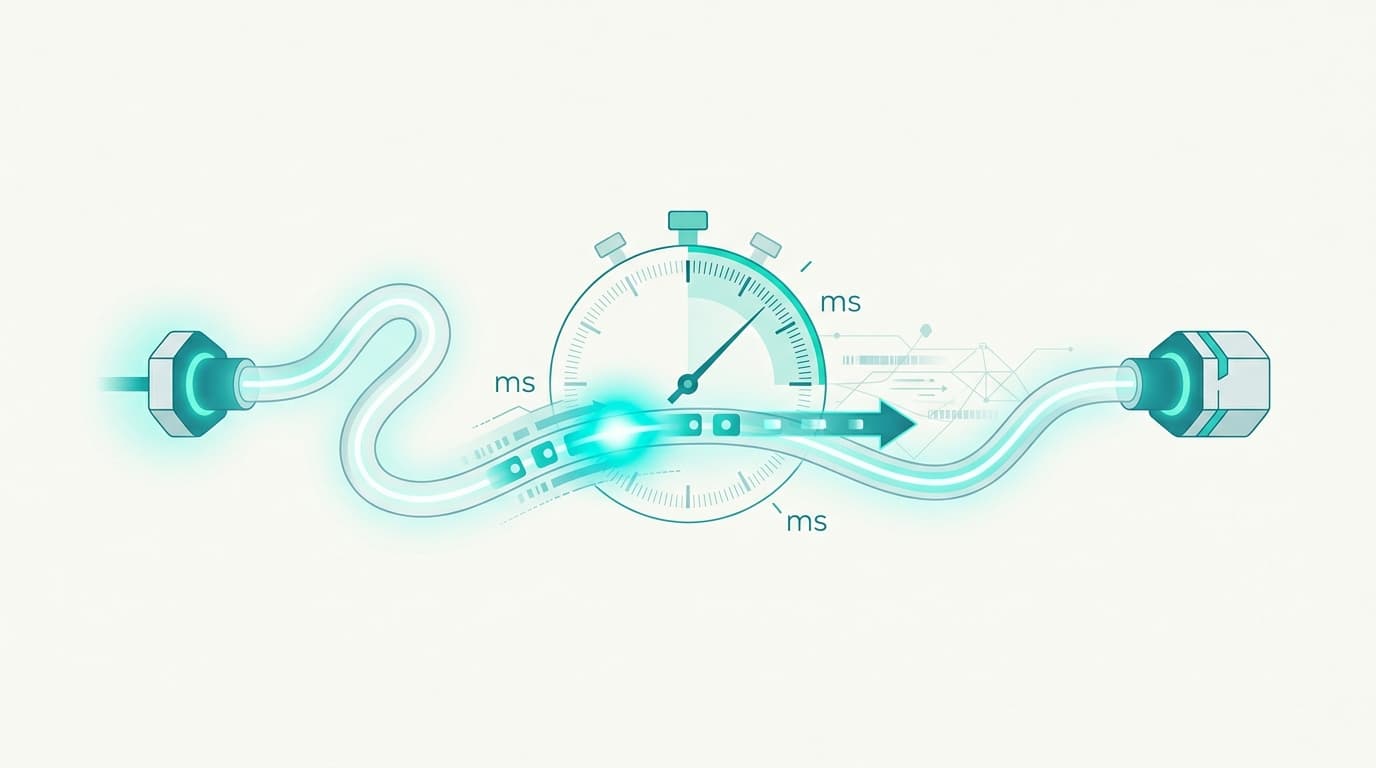
Ping measures the time a round trip takes between your machine and a server, in milliseconds. Jitter measures how much that delay varies from one packet to the next, and packet loss counts the data that never arrives. Three separate quantities, three separate thresholds. I calculated the physical floor of ping from Belgium, and here is why it will not go lower.
Four words, four measurements that do not substitute for each other
The confusion always starts in the same place: people assume that "fast connection" means one thing. It means four, and they largely ignore one another. A fibre plan sold at 1 Gbps can post a dreadful ping, while an old 50 Mbps line behaves perfectly on a video call.
Ping, also called latency, times a complete round trip: your machine sends a tiny packet, the server sends it back, the delay is measured. Jitter measures how steady that delay is from one packet to the next. Packet loss counts the ones that never come back. Speed, or bandwidth, has nothing to do with the other three: it is a volume per second, not a duration.
| Quantity | Unit | Phenomenon measured | Excellent | Acceptable | Problematic |
|---|---|---|---|---|---|
| Ping / latency | ms | Duration of a complete round trip | under 20 ms | 20 to 50 ms | past 100 ms |
| Jitter | ms | Variation of the delay from one packet to the next | under 5 ms | 5 to 15 ms | past 30 ms |
| Packet loss | % | Share of packets that never arrive | 0 % | under 1 % | past 2 % |
| Speed | Mbps | Volume carried per second | depends on use | depends on use | depends on use |
One image holds all four together effortlessly. Speed is the width of the pipe, latency is its length, jitter is the fact that this length keeps changing, and packet loss is a leak somewhere in the middle. Widening a pipe does not shorten it. That is exactly why moving from 500 Mbps to 1 Gbps changes nothing whatsoever about your ping, even though sales pages carefully maintain the misunderstanding. To place an offer beyond its headline download figure, our ranking of the best fibre plans in Belgium sets out the criteria that actually matter.
What counts as a good ping, and when does it become visible?
The thresholds are broadly agreed on, by operators and in the networking literature alike. Under 20 ms, nobody notices anything. Between 20 and 50 ms, the connection stays comfortable for every real-time use, competitive shooters included. Between 50 and 100 ms, video calls hold up fine but fast duels turn against you. Past 100 ms, the lag stops being debatable.
The perception threshold depends heavily on the use. A web page loaded with 150 ms of latency shocks nobody. A voice call starts to break down around 200 ms of round trip, because speakers cut across each other. A shooter penalises you from 60 ms, since two players who see each other at the same instant are not seeing the same thing.
The physical floor of ping from Belgium, calculated
Here is the point I have not seen handled properly anywhere, and it can be worked out by hand. Inside an optical fibre, light does not travel at 300,000 km/s: the refractive index of glass slows it to roughly 200,000 km/s, which is 5 microseconds per kilometre travelled. A round trip doubles the distance, so 100 km of fibre always costs 1 ms of ping, whoever the operator is.
Fibres, however, do not follow the straight lines on a map. They run along motorways, skirt around cities, climb to an exchange point and come back down. Network engineers routinely apply a detour factor of around 1.4 between the straight-line distance and the length of cable actually travelled. The calculation then becomes very simple: floor in milliseconds = straight-line distance in kilometres × 0.014.
Applied from Brussels, it produces the table below. No subscription, no router and no setting will go below these values.
| Destination from Brussels | Straight-line distance | Physical floor for the round trip |
|---|---|---|
| Amsterdam | 173 km | 2.4 ms |
| Paris | 264 km | 3.7 ms |
| London | 320 km | 4.5 ms |
| Frankfurt | 318 km | 4.5 ms |
| Stockholm | 1,280 km | 18 ms |
| Ashburn, Virginia (US east coast) | 6,200 km | 87 ms |
| Tokyo | 9,350 km | 131 ms |
Two lessons come out of that table. First: nearly every game server that matters in Western Europe sits in Frankfurt, Amsterdam, London or Paris, which is under 5 ms of floor from Belgium. A Belgian player therefore starts with a real geographic advantage, and a 15 ms ping to Frankfurt means only 10 ms are attributable to equipment, the rest being pure distance.
The second lesson is less cheerful. On a US server, the 87 ms floor is negotiable by nobody: not by a 10 Gbps subscription, not by a competition-grade router, not by a service promising to "optimise" the route. As for Tokyo, the calculated 131 ms stays theoretical, because the actual submarine routes run much further south and lengthen the journey considerably. Observed measurements sit closer to 220 to 250 ms.

The rest of the budget is spent in the first hundred metres
Between your machine and the entrance to the operator's network, the serving technology takes its cut, and that cut varies tenfold depending on what runs down your street. The BITAG technical group published a reference paper on latency that documents these gaps link by link.
| Access technology | Latency added before the network | Source of the delay |
|---|---|---|
| FTTH (GPON, XGS-PON) | roughly 1 to 3 ms | Upstream grant cycle, very short |
| DOCSIS 3.1 coaxial cable | 3 to 15 ms, more in the evening | Upstream request and a segment shared with neighbours |
| VDSL over copper | 5 to 25 ms | Interleaving of 2 to 20 ms depending on line configuration |
| Fixed 5G | 10 to 30 ms | Radio scheduling and a shared cell |
| Low earth orbit satellite | 25 to 50 ms | Altitude of a few hundred kilometres |
| Geostationary satellite | around 480 ms of floor | 4 × 35,786 km of altitude, at the speed of light in vacuum |
That last row deserves a pause, because it makes the case better than anything else. A geostationary satellite orbits at 35,786 km. The signal goes up, comes down, goes up and comes down again, roughly 143,000 km in total, and even at the speed of light in vacuum that already makes 477 ms before meeting a single router. Values actually observed sit around 600 to 700 ms. No technology will ever claw that back, which is why geostationary satellite has disappeared from real-time uses.
At the other end, FTTH is not magic either, it is simply the least penalising. Its real superiority in gaming owes less to its average latency than to its stability, and the architectural difference is set out in our comparison of FTTH fibre and coaxial cable.
Why do I lag even though I have fibre?
Nine times out of ten, because the problem is not ping.
An average ping of 20 ms can perfectly well hide spikes to 200 ms every thirty seconds. A speed test, which shows a single value measured over a few seconds, will never catch them. The game catches every one: each spike becomes a character that teleports, a shot that does not count, an opponent firing from a spot they had already left. That is the definition of jitter, and it is the quantity subscribers measure least.
The dominant cause at home has a name, and it is not the operator's: Wi-Fi. A radio channel shared with the neighbours, a saturated 2.4 GHz band, a microwave oven running, a load-bearing wall, and jitter explodes without the average speed moving an inch. The second cause is router buffers filling up: as soon as a large upload occupies the whole upstream, game packets queue behind it, which can push latency up by several hundred milliseconds.
Our guide on measuring your speed correctly sets out the method; the principle is identical for ping. Measure over Ethernet, or you are measuring your Wi-Fi.
Packet loss, the fault that never announces itself
A lost packet has to be sent again, and that retransmission costs at least one full round trip. On a web page, nobody notices. On a voice call or in a game the lost packet is not even requested again: it is simply missing, and the sound breaks up or the action disappears.
The tolerance threshold is low. Below 1 %, real-time uses stay fine. Past 2 %, the degradation is audible and visible. Sustained loss of 5 % makes a competitive game unplayable, even with an excellent ping.
Before calling technical support, six causes are worth checking in this order, from the most frequent to the rarest:
- Wi-Fi, responsible for the vast majority of loss measured at home, especially through a load-bearing wall or on a crowded channel;
- the Ethernet cable, bent, pinched under a door, crushed by a furniture leg or simply of poor quality;
- the wall socket or the router port, where an oxidised contact produces the classic intermittent loss;
- a powerline adapter whose two units sit on different electrical phases, a common situation in Belgian homes wired in three-phase;
- upstream saturation caused by an online backup, a video upload or a file-sharing client left running;
- an incident on the operator's network, confirmed by seeing the same loss from several devices connected over Ethernet.
That order is not decorative. It ranks the causes by real-world frequency, and the first five are fixed without outside help.
How do you measure ping, jitter and packet loss?
Speed tests display a ping, sometimes a jitter figure, rarely packet loss, and always over a handful of seconds. For a serious diagnosis, the tool built into your operating system does far better: a ping command run continuously for several minutes towards a fixed server returns the minimum, the maximum, the average and the loss rate, all at once.
Run it twice. Once in the middle of the day, once around 9 pm. The gap between the two runs is the best free indicator of a saturated shared segment.
BNIX, the three regions and the network serving your address
Belgium has an asset few countries its size possess: a national internet exchange point in Brussels. BNIX, operated by the Belgian research network Belnet, interconnects Belgian operators directly and spares them from hauling local traffic up to Amsterdam or Frankfurt. Two Belgian subscribers on two different operators can therefore exchange packets without leaving the country, which pushes national ping down towards single-digit milliseconds.
That benefit, though, is not evenly shared, because the serving technology is not evenly shared either. FTTH deployment reaches, as an order of magnitude in mid-2026, around 78 % of homes in Brussels, 71 % in Flanders and 44 % in Wallonia, moving figures that should be checked at the address rather than at the municipality.
The outcome reads region by region. In Brussels and the large Flemish cities, FTTH dominates and access latency drops below 5 ms. In the Walloon areas served by the coaxial cable of the former VOO network now run by Orange, ping stays fine during the day but degrades in the evening, since the segment is shared between neighbours. And in rural municipalities of all three regions still on VDSL, copper interleaving alone adds 5 to 25 ms before the first router.
On top of that sits the Belgian quirk that governs everything else: the operator you can actually subscribe to depends on the wholesale network deployed at your address, whether Proximus, Fiberklaar or Wyre. Two neighbours on the same street can face different catalogues, and therefore different access latencies. The coverage atlas of BIPT, the Belgian telecoms regulator, shows what actually serves your street, and Proximus publishes its own consumer explainer on the effect of latency in games. Choosing a plan for online gaming is covered in our article on fibre and gaming.
Three quantities, three thresholds, one rule worth remembering: speed is bought, latency is endured. The part you genuinely control sits in the ten metres between your machine and your router, and it is also the part nobody looks at first.
Débit & technologie comparator
Compare all débit & technologie side by side.
Compare now →
Frequently asked questions
Nicolas suit le marché belge des télécoms et le déploiement de la fibre depuis plus de huit ans. Ancien technicien réseau devenu analyste indépendant, il teste lui-même les connexions qu'il compare : il mesure les débits réels à différentes heures de la journée, lit les conditions ligne par ligne et traque les hausses de prix qui tombent après douze mois. Son objectif : aider les ménages belges à choisir une offre fibre qui tient ses promesses, au bon débit et au juste prix, sans jargon ni argument commercial.