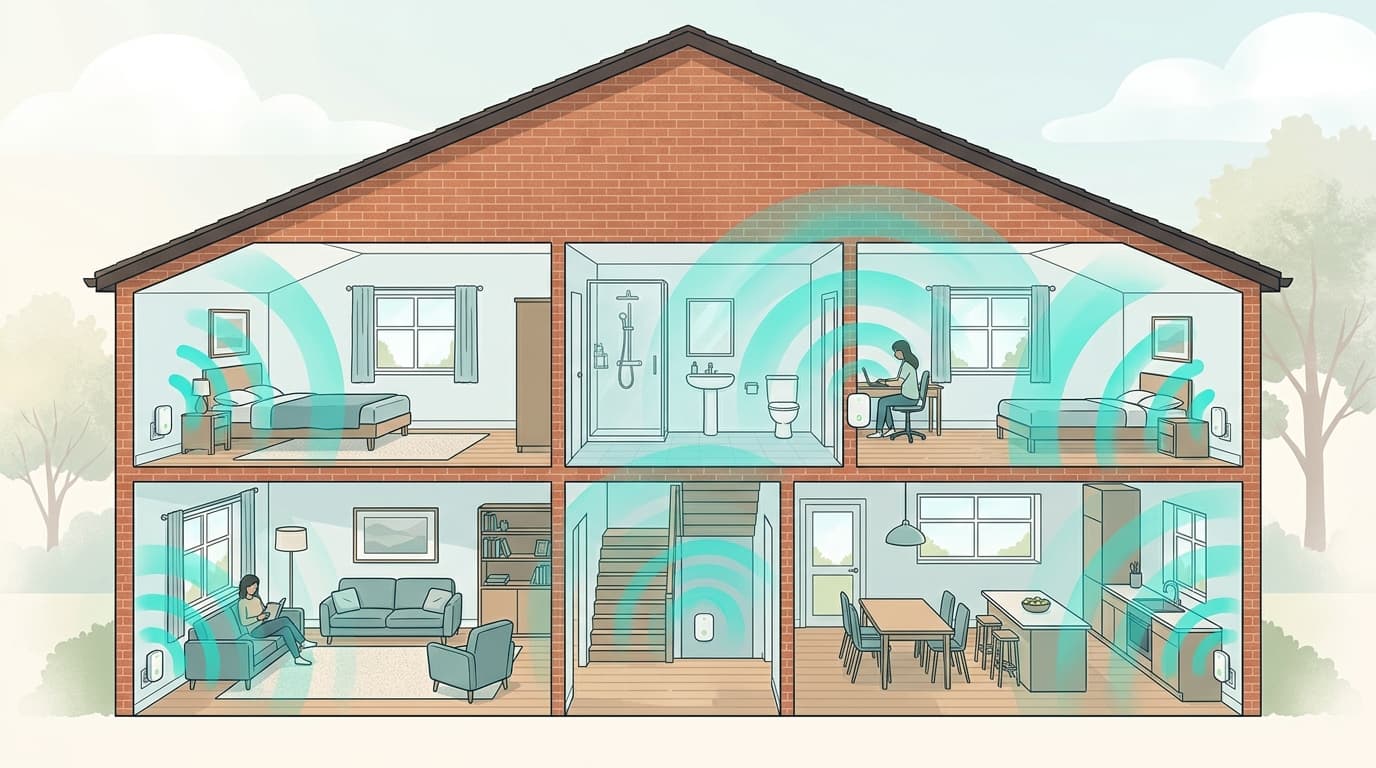
One room where Wi-Fi collapses, three shelves in the shop, and no indication of what suits your home. The short answer: an extender relays the signal through the air, a powerline adapter carries it through your electrical wiring, a mesh kit builds a single network run by several nodes — and the right choice depends on what is blocking the signal in your home, not on price. Here are the criteria, the comparison, the Belgian electrical trap nobody mentions, and the cases where you should buy nothing at all.
Extender, powerline or mesh: what is the actual difference?
Three technologies, three ways of covering the same distance.
A Wi-Fi extender — also sold as a repeater or booster — picks up the existing network and re-broadcasts it further away. It creates nothing: it copies. Its limitation is structural, since it receives and re-transmits on the same radio, which typically costs half the throughput available where it sits. And if reception is poor, it will diligently rebroadcast a poor signal.
A powerline adapter (PLC, or CPL in French) does something else entirely: it injects data into the home's electrical wiring, and a second unit brings it back out at the other end, over Ethernet or Wi-Fi. The load-bearing wall stops being an obstacle, because you go around it. Recent models speak the G.hn standard, for which devolo claims up to 2400 Mbps in theory and a 500-metre cable range on its Magic 2 range.
A mesh system, finally, replaces relay logic with mesh networking: two to four identical nodes form a single network name, hand clients over according to link quality and share the load. It is the most elegant solution — and the most expensive.
Do you actually need to buy anything?
Often not, and that is the part comparison articles skip. A good half of all "Wi-Fi problems" are solved in half an hour for nothing, because they come from where the router sits or from a setting, not from missing hardware.
Before reaching for your card, five checks:
- Where is the router? Inside a closed cabinet, on the floor, behind a television or in a corner of the house, it loses a considerable share of its range. Lifting it and clearing the space around it costs nothing.
- Is the 5 GHz channel congested? In a flat, twenty or so neighbouring networks may be fighting over the same channels. Operator apps now let you force a free channel.
- Are you testing over Wi-Fi or over Ethernet? If the slowness is also there with a cable plugged into the router, no extender on earth will fix it: the problem is on the line, not in the home.
- Is an Ethernet cable feasible? An existing conduit, a skirting board, a door gap: ten metres of cable permanently solve what a box will only soften.
- Is only one device affected? An older laptop with a 2.4 GHz-only Wi-Fi card will not get faster because you improved the network.
The criteria that actually decide
The first criterion is not floor area but the nature of the obstacle. A large open single-storey house is easier to cover than a small duplex with a reinforced concrete slab between the two levels. Concrete, hollow-core floors, solid brick load-bearing walls and partitions backed with a metallic vapour barrier stop 5 GHz almost completely, while 2.4 GHz still gets through, more slowly.
The second criterion is the quality of the electrical wiring, and it only concerns powerline. A renovated home with a recent consumer unit and short circuits gives excellent results. An old installation, a surge-protected power strip between the adapter and the wall, a UPS, a long run out to an outbuilding: throughput collapses, sometimes by 80 %.
The third is how many nodes you need. A single zone to cover is handled by an extender or a pair of powerline adapters; three zones spread over two floors call for mesh, quite simply because a mesh kit is designed to orchestrate several nodes whereas chained extenders cancel each other out.
The fourth, finally, is the Ethernet ceiling. Across all three families, the network port on consumer units almost always stops at gigabit — about 940 Mbps of usable throughput. That is no small detail in Belgium, where several plans go well beyond that figure: Proximus sells 2 and 8.5 Gbps tiers, and Digi advertises up to 10 Gbps. Your extension hardware then becomes the bottleneck on the line you are paying for. If those tiers mean something to you, our article on what fibre download speeds really deliver sets out the arithmetic.
Extender, powerline or mesh: the comparison
The table below sums up what separates the three families. Advertised speeds are laboratory maxima, never guarantees: read the limitations column before the numbers column.
| Wi-Fi extender | Powerline adapter | Mesh system | |
|---|---|---|---|
| How the signal travels | Through the air, re-broadcast | Through the electrical wiring | Through the air, or cabled between nodes |
| Crosses a load-bearing wall or slab | Poorly or not at all | Yes | Poorly, unless the nodes are cabled |
| Typical throughput loss | About half at each hop | Entirely depends on the wiring | Low, the load is shared |
| Useful number of nodes | One, never chained | Two to four | Two to four, that is the point |
| Single network name | Model-dependent | Model-dependent | Yes, by design |
| Setup | Three minutes, WPS button | Three minutes, two sockets | An app, ten to twenty minutes |
| Indicative budget, August 2026 | €25 to €80 | €70 to €200 for a two-unit kit | €150 to €400 for a two- or three-unit kit |
| Its real limitation | Creates nothing, only copies | The electrical wiring, unpredictable | The price, and pointless in a small home |
Which solution for which home?
An 80 m² single-level flat almost never needs anything more than a well-placed router, perhaps with an extender for the back bedroom. Mesh is a luxury there, unless the layout is heavily partitioned or the walls very thick.
The classic Belgian terraced house — three levels, solid brick, central staircase — is where powerline wins outright. Radio does not travel through two concrete slabs, whereas the electrical wiring goes everywhere by definition.
The detached house with a large single-floor footprint is, by contrast, natural mesh territory: the nodes see each other, coverage is even, and you gain the convenience of one single network. As a manufacturer benchmark, TP-Link claims roughly 418 m² of coverage for a two-unit Deco X50 kit.
This geography is not neutral in Belgium. Brussels housing is overwhelmingly flats, often old and compartmentalised — extender and powerline territory. Flanders and Wallonia have far more detached homes, but not the same ones: recent Flemish developments, with lightweight partitions, suit mesh well, while older Walloon housing in solid brick or stone regularly sends you back to the electrical wiring. There is no regional answer; there is an answer per building type.

Powerline and three-phase wiring: the Belgian trap
Here is the point manuals mention on the last page, when they mention it at all.
The powerline signal travels along the electrical phase into which it is injected and does not naturally cross the other phases. In a three-phase home — 3 × 230 V, very common in Belgium's older housing stock — two adapters plugged into sockets fed by different phases cannot see each other, or establish a hopelessly slow link. The buyer concludes that "powerline doesn't work here" and returns the kit.
Two ways out. The first, free: identify at the consumer unit which circuits share a phase and plug both adapters into sockets on that phase. The second: have a phase coupler fitted in the consumer unit, which bridges the three phases at powerline frequencies. That work happens inside a live board: it is a job for a certified electrician, not a weekend project. The general principle of power-line communication is well documented, but every installation remains a special case.
What do Proximus, Telenet, Orange and VOO offer?
All four major Belgian operators sell or rent their own solution, which removes any compatibility question with the router. Here is the state of the market as checked on 22 August 2026; these prices move and are worth re-checking before ordering.
| Operator | Solution offered | Price checked on 22/08/2026 | Worth knowing |
|---|---|---|---|
| Proximus | Wi-Fi Booster, working as a mesh node | €2.49/month, included in Flex All-in and Flex Unlimited family packs | Compatible with b-box 3 and later |
| Telenet | 360° Wifi: Wifi Pods (mesh), Access Points, Wifi Powerlines | First unit free, €3/month per additional unit | Rental only, three units maximum |
| Orange | WiFi Comfort | €3/month for the one-unit starter pack | Up to three units, installation free for new customers |
| VOO | Wi-Fi powerline adapter | €109 for the two-unit kit, €79 per additional unit | Bought outright in store, Wi-Fi 5, 2400 Mbps advertised on powerline |
Two lessons emerge from that table. First, Telenet is the only one of the four to explicitly offer powerline on rental alongside mesh and access points, which makes it the most complete offer for a difficult building. Second, renting is almost always cheaper in year one and almost always dearer by year three: €3/month over three years is €108, roughly what a VOO kit or a good retail powerline set costs to buy. The same reasoning we applied to the real two-year cost of a bundle holds here.
Which hardware should you look at, and at what budget?
None of this equipment has been tested by us: what follows is a reading of manufacturer datasheets, with the figures they publish and nothing more. Three brands widely distributed in Belgium, one per family, to place the ranges.
| Family | Reference cited | What the manufacturer's datasheet states | Who it suits |
|---|---|---|---|
| Extender | AVM FRITZ!Repeater 1200 AX | Wi-Fi 6, up to 2400 Mbps on 5 GHz and 600 Mbps on 2.4 GHz, one Gigabit Ethernet port, roughly 4 W typical draw | One room to cover, within radio range of the router |
| Powerline | devolo Magic 2 Wi-Fi 6 | G.hn up to 2400 Mbps over the wiring, Wi-Fi 6 up to 1800 Mbps, two Gigabit Ethernet ports, 500 m stated cable range | A floor or load-bearing wall to cross without pulling cable |
| Mesh | TP-Link Deco X50 | AX3000: 2402 Mbps on 5 GHz and 574 Mbps on 2.4 GHz, three Gigabit ports per node, roughly 418 m² stated coverage for two units | Large surface, several zones, one single network wanted |
Netgear, Zyxel, D-Link and Linksys occupy the same slots and are easy to find at Belgian retailers. One point applies to every brand: look at the number and speed of the Ethernet ports before the Wi-Fi standard. A unit limited to a single gigabit port forces every additional device back onto Wi-Fi, and mechanically caps a line sold above gigabit.

The mistakes that cost the most
The most common is buying an extender for a line problem. If throughput is already poor over Ethernet at the router, the device will merely duplicate that weakness — check what your connection is actually worth first, and which technology serves you, which our comparison of FTTH fibre and coaxial cable sets out.
Then come chained extenders, which halve throughput at every hop, and powerline on a power strip. Then the opposite mistake, and the costlier one: the €350 mesh kit installed in a two-bedroom flat, where moving the router would have done the job.
That leaves the question that comes before all the others: a home network will never outperform the line feeding it. If the plan itself is capped, or if its price doubled once the promotion ended, no box will change that — our ranking of the best fibre internet offers in Belgium exists precisely to settle that point before you equip the house.
The operator prices quoted above were checked on 22 August 2026; product specifications come from the manufacturers' official datasheets. To compare the offers genuinely available at your address, the official comparison tool from BIPT, Belgium's telecoms regulator, remains the neutral reference.
Débit & technologie comparator
Compare all débit & technologie side by side.
Compare now →
Frequently asked questions
Nicolas suit le marché belge des télécoms et le déploiement de la fibre depuis plus de huit ans. Ancien technicien réseau devenu analyste indépendant, il teste lui-même les connexions qu'il compare : il mesure les débits réels à différentes heures de la journée, lit les conditions ligne par ligne et traque les hausses de prix qui tombent après douze mois. Son objectif : aider les ménages belges à choisir une offre fibre qui tient ses promesses, au bon débit et au juste prix, sans jargon ni argument commercial.